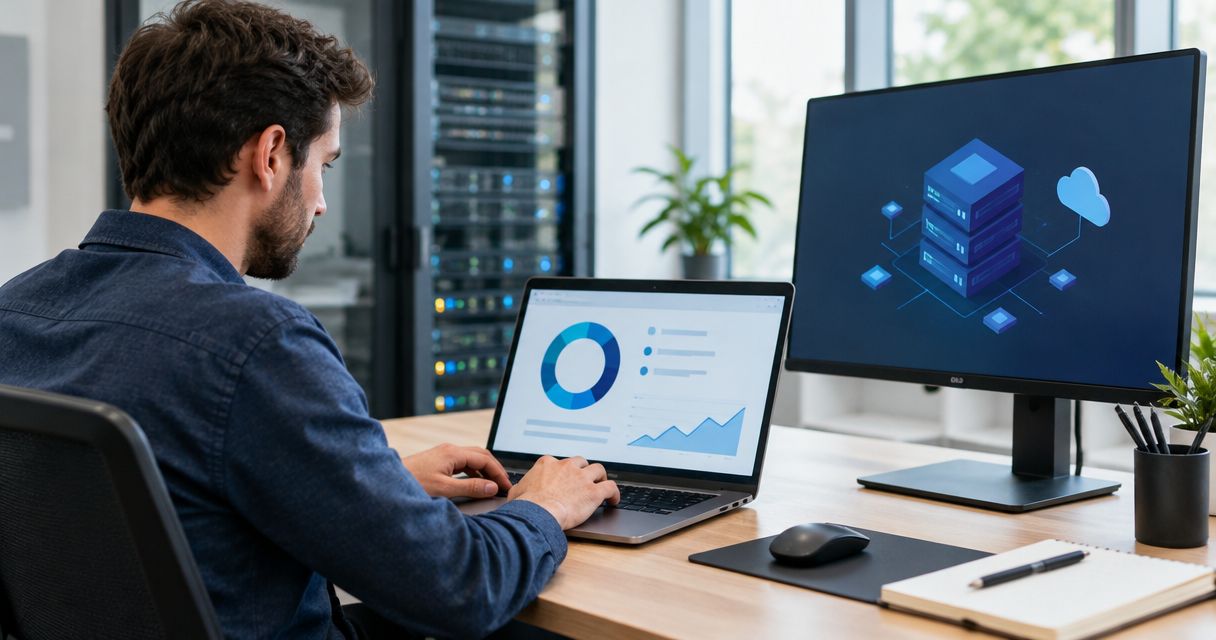


Automating SPLA usage reporting is worth it in 2026 when it replaces repeated data handling with a controlled, reviewable reporting process. It is not worth treating as a substitute for licensing expertise: you still need to validate coverage, resolve exceptions, and approve the submission. The strongest business case combines less reconciliation work with a traceable connection between usage records, reported quantities, and customer billing.
TL;DR
- Is automating SPLA usage reporting worth it? Yes, when collection, reconciliation, and exception handling improve together.
- Octopus supports SPLA reporting and customer billing; assess coverage and evidence before selecting a workflow.
- Automated collection does not prove licensing compliance. Keep licensing interpretation and submission approval under accountable human control.
- Measure reporting effort, unresolved exceptions, and billing corrections before claiming a return.
Is automating SPLA usage reporting worth it in 2026?
Yes—if automation removes recurring work without weakening your control over the report. A reporting workflow should make discrepancies visible, preserve supporting records, and identify who approved the result.
Octopus provides software asset management software and consulting services for Microsoft SPLA partners and Authorized Outsourcers. Assess that combination against your reporting requirements, rather than assuming a reporting export alone addresses compliance.
Manual reporting
- Best for: Teams with a manageable, documented reporting scope
- Main advantage: Direct visibility into individual adjustments
- Main limitation: Collection, reconciliation, and evidence preparation remain manual
Automated collection only
- Best for: Teams whose immediate problem is gathering usage records
- Main advantage: Reduces repeated collection work
- Main limitation: Does not independently resolve licensing interpretation or reporting exceptions
Automation with documented review
- Best for: Teams coordinating usage reporting, customer billing, and audit evidence
- Main advantage: Connects repeatable processing with accountable decisions
- Main limitation: Requires implementation, maintained rules, and exception ownership
The distinction matters. Moving data into a report is not the same as establishing that the report is complete and correctly interpreted. Select the approach that addresses your actual failure point, not the one that produces the fastest export.
Why this matters
SPLA reporting sits between technical usage, licensing obligations, and commercial records. If those records disagree, someone must explain the difference before the reporting process is dependable.
For your 2026 evaluation, separate processing efficiency from reporting correctness. Automation can reduce repeated handling while carrying an incorrect mapping into every subsequent report. A documented review process addresses that second problem; a faster spreadsheet does not.
Customer billing adds another control requirement. Your commercial billing logic and licensing reporting logic serve different purposes, so neither should silently overwrite the other. Preserve the relationship between them and document legitimate differences.
What should an automated reporting workflow include?
Evaluate the workflow in 5 stages, from source coverage to retained evidence. Each stage needs an accountable owner and a clear output. These are evaluation criteria, not a claim that every reporting platform supplies every function.
1. Source coverage
List the environments and usage sources that belong in your reporting scope. Establish how you identify a missing source, an unsuccessful collection, or an environment that has changed ownership.
A successful collection job does not prove complete coverage. Compare collected sources against an independently maintained scope register, and investigate anything absent before accepting the reporting dataset.
2. Reconciliation
Connect usage records to the relevant customer, environment, product, and reporting period. Preserve the original records alongside the mappings used to interpret them.
Reconciliation should expose records that do not match your expected structure. Do not force unmatched usage into a convenient category simply to complete a report; assign it for investigation.
3. Exception review
Define which conditions require review and who resolves them. Examples include missing customer mappings, incomplete source records, and a difference between reporting quantities and the supporting calculation.
Record the resolution, its supporting evidence, and its approver. An exception marked resolved without an explanation leaves the next reviewer with the same investigation.
4. Report approval
Give the reviewer enough information to compare the proposed report with its supporting records. Make adjustments visible rather than burying them inside the final export.
Approval should confirm the scope reviewed and identify unresolved issues. The person authorizing submission needs a defensible report, not simply confirmation that a processing job finished.
5. Evidence retention
Retain source records, mappings, calculations, adjustments, and approval records together. Keep the reporting period and the applicable interpretation identifiable.
The objective is reconstruction: another authorized reviewer should understand how the submitted quantity was produced. A final report without its supporting trail does not provide that explanation.
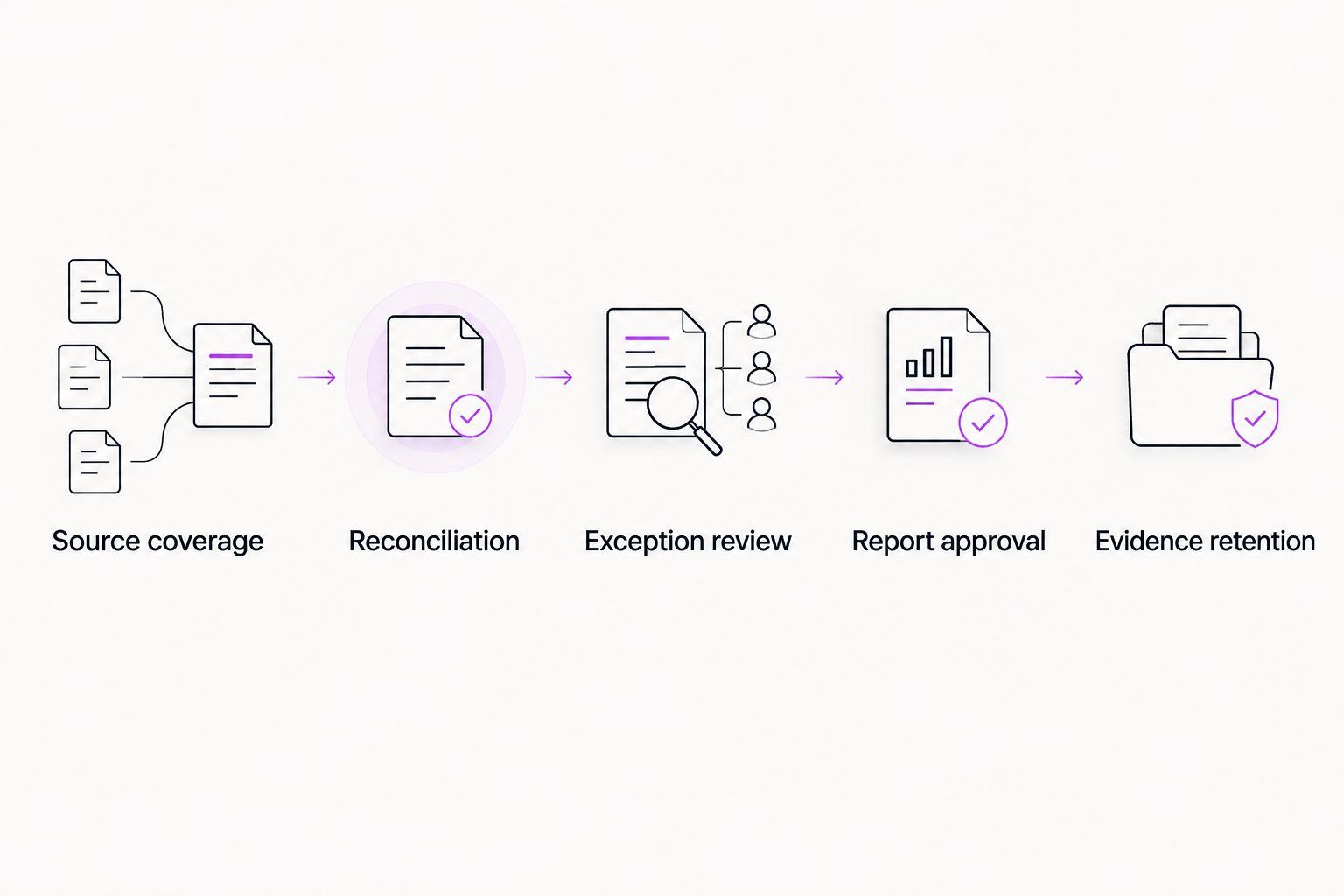
Report approval depends on source coverage, reconciliation, and documented exception review.
Why the value of SPLA reporting automation varies
The same reporting tool addresses different amounts of work in different environments. Base your assessment on the processes you actually operate, not an assumed saving attached to automation.
- Reporting scope: More independently managed environments create more collection boundaries to check. Document those boundaries before deciding what successful coverage means.
- Customer allocation: If usage must be assigned across customers, assess how mappings are maintained and how unassigned records are handled.
- Environment changes: Changes in deployment or customer ownership require the reporting scope and mappings to be reviewed. A previously correct mapping is not permanent evidence.
- Billing dependencies: When reporting data also feeds customer billing, corrections need a documented path through both processes. Establish which records each process treats as authoritative.
- Evidence requirements: A team that needs to reconstruct past submissions requires more than a current dashboard. Evaluate retained inputs, decisions, and approvals.
These factors explain why you should evaluate the complete workflow. Automating collection has limited value when your team spends its reporting effort resolving ownership or interpretation questions afterward.
How do you measure whether automation is worth it?
Build a baseline before changing the workflow. For a 2026 business case, use your own reporting records and separate recurring work from implementation work. Do not present an estimated reduction as a measured result.
Track 3 measures consistently:
- Reporting effort: Record staff hours spent collecting records, reconciling usage, reviewing exceptions, and preparing approval. Keep the activity definitions consistent between reporting periods.
- Unresolved exceptions: Count issues still open at approval and classify why they remain unresolved. A lower count is useful only if issues were resolved rather than hidden or excluded.
- Billing corrections: Record corrections linked to usage reporting and the reason for each correction. Distinguish reporting errors from commercial adjustments unrelated to licensing usage.
Also document implementation effort: source access, mapping decisions, validation, training, and the work needed to maintain the process. Recurring effort and setup effort belong in the same business case, but they should remain separately visible.
Judge the result by controlled work removed, not records processed. Processing more records tells you little if your team still has to rebuild the calculation to trust the output. Compare both effort and evidence quality before approving a wider rollout.
What should you validate before selecting a platform?
Ask for a demonstration built around a representative reporting case. Include a normal record, a missing mapping, a correction, and a source that fails to provide data. The demonstration should show what the reviewer sees, not just what the final report looks like.
Use 4 acceptance checks:
- Coverage: Can the reviewer identify missing or unsuccessful source collections?
- Traceability: Can a reported quantity be traced back to supporting records and calculations?
- Exceptions: Can an unresolved issue remain visible until an accountable person resolves it?
- Approval: Can another reviewer establish what was approved and which adjustments were included?
Octopus is best suited to Microsoft SPLA partners and Authorized Outsourcers seeking software asset management software and consulting support. Its stated scope includes usage reporting, customer billing, and audit defense; validate the detailed workflow against your requirements.
The limitation is equally important: Octopus does not replace your responsibility to establish accurate source coverage and approve licensing decisions. Treat implementation and review as part of the operating process, not as work that disappears after software selection.
Review your SPLA reporting requirements
Discuss usage reporting, customer billing, and audit-defense requirements for your environment.
Does automating SPLA reporting eliminate audit risk?
No—automating SPLA reporting does not eliminate audit risk. It can support an auditable process when you preserve source records, calculation logic, adjustments, and approvals. An automated report with incomplete inputs still requires correction.
For your 2026 reporting process, define evidence requirements before choosing an export format. Start with what a reviewer must substantiate, then determine which records and decisions the workflow must retain.
Can you automate reporting and keep manual approval?
Yes—automated reporting and manual approval belong in the same controlled workflow. Automation handles repeatable processing; the reviewer assesses exceptions, interpretation, and whether the supporting evidence justifies submission.
Keep that division explicit. If approval is only a button pressed after processing, without access to exceptions or adjustments, it is not a meaningful review control.
Should you automate usage reporting and billing together?
Connect usage reporting and billing where they share verified source records, but preserve separate rules and approvals. Customer billing reflects your commercial arrangements; SPLA reporting reflects the applicable licensing obligations. A shared dataset does not make those calculations interchangeable.
Document how corrections move between the processes. When a usage record changes, the responsible owners should assess its effect on both the licensing report and the customer invoice rather than assuming the consequences are identical.
FAQ
Is automating SPLA usage reporting worth it for a small provider?
Automating SPLA usage reporting is worth evaluating when repeated collection, reconciliation, or evidence preparation creates a recurring burden. Provider size alone does not establish the return; compare your documented workload with the implementation and review work required.
What's the difference between automated collection and automated SPLA reporting?
Automated collection gathers usage records, while a reporting workflow also needs mapping, reconciliation, exception handling, and approval. Check which activities a proposed system performs and which remain with your team.
Can SPLA reporting software guarantee compliance?
SPLA reporting software does not independently guarantee compliance. Accurate source coverage, applicable licensing interpretation, maintained mappings, and accountable approval remain necessary.
What should I measure before automating SPLA reporting?
Measure reporting effort, unresolved exceptions, and usage-related billing corrections before changing the workflow. Separate implementation effort from recurring work so the comparison remains useful.
Is Octopus relevant to Microsoft SPLA partners?
Octopus provides software asset management software and consulting services for Microsoft SPLA partners and Authorized Outsourcers. Its stated scope includes usage reporting, customer billing, and audit defense; assess the implementation against your environment.
Can I keep spreadsheets after introducing reporting automation?
You can retain spreadsheets as controlled supporting records, but define their purpose and ownership. If a spreadsheet changes a reported quantity, preserve the adjustment and approval rather than leaving an unexplained difference between outputs.
What evidence should I retain for SPLA usage reporting?
Retain the source records, mappings, calculations, adjustments, and approval records supporting the submitted report. The evidence should let an authorized reviewer reconstruct how the reported quantities were produced.
One last thing
Before approving a reporting workflow in 2026, ask someone other than its operator to reconstruct a reported quantity from the retained evidence. Let that reviewer follow the records without relying on an undocumented explanation from the person who prepared the report.
If the result cannot be reconstructed, the workflow is not ready for approval. Faster processing does not solve that gap. Use the failed reconstruction to identify missing records, unclear mappings, or undocumented adjustments, then correct the process before expanding its scope.