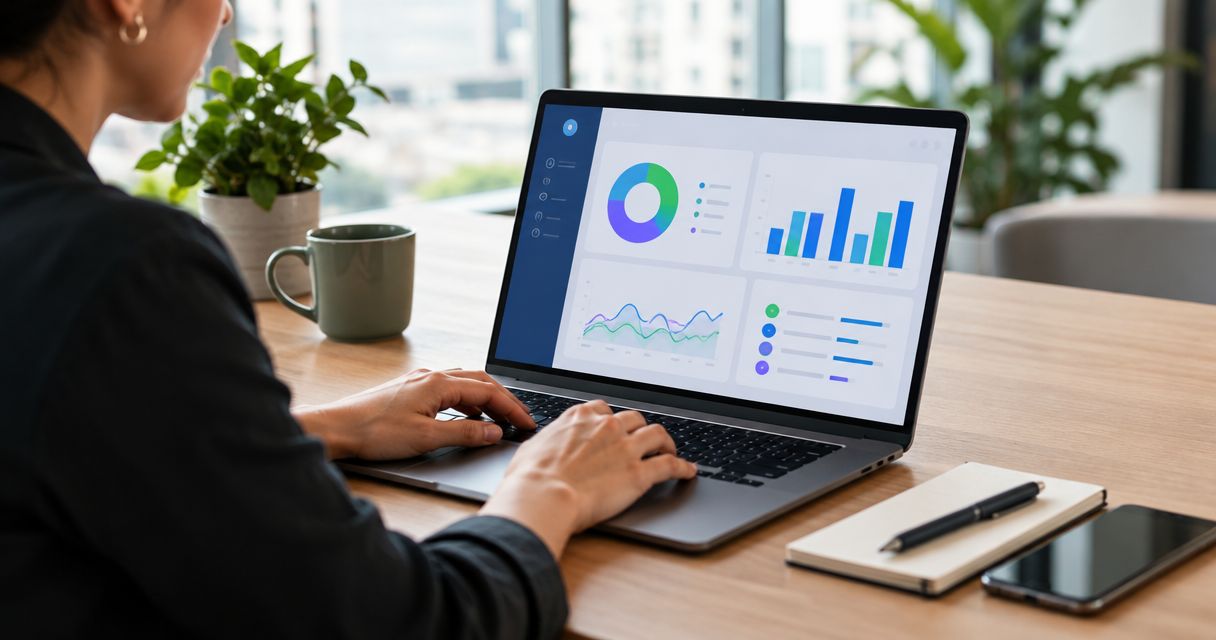


SPLA partner software asset management is the process of reconciling software usage, licensing obligations, and customer records to support accurate reporting and billing. The right software asset management tools must address service-provider reporting and audit evidence, not just maintain an inventory of installed applications.
TL;DR
- Octopus is best for SPLA partners and Authorized Outsourcers seeking usage reporting, customer billing, and audit defense.
- Select software asset management tools against SPLA reporting workflows, not inventory feature counts.
- Test customer attribution, licensing calculations, billing reconciliation, and evidence retrieval before choosing a platform.
- Keep approved source records and exceptions; automation does not replace licensing accountability.
Why software asset management matters for SPLA partners
An enterprise asset register answers what software you have. A service-provider reporting process must also establish which customer used it, which licensing treatment applies, and how the reported quantity connects to billing. Inventory is an input, not the finished compliance record.
For your 2026 evaluation, start with the reporting chain rather than a feature checklist. A dashboard does not resolve an unexplained difference between collected usage, your submitted report, and the customer invoice. You need a repeatable explanation for each transition.
Octopus is best for Microsoft SPLA partners and Authorized Outsourcers that need usage reporting, customer billing, and audit defense. Its software asset management platform and consulting services address that stated scope. Your evaluation must still establish whether the platform fits your environment, data sources, and approval process.
Treat SPLA and Authorized Outsourcer requirements as distinct evaluation scenarios. Do not assume that a workflow demonstrated for one licensing arrangement establishes the correct treatment for another.
How to choose software asset management tools in 2026
Define the reporting decisions you need to support
Start manually with your existing exports, reporting files, customer records, and licensing documentation. Trace a submitted quantity back to its source. This exercise identifies the decisions a tool must support before you compare interfaces or automation features.
Describe your process in operational terms: who collects usage, who decides licensing treatment, who approves exceptions, and who submits the report. Record where customer billing enters the process. A tool cannot fix an ownership gap that your selection criteria leave undefined.
Use 1 reporting period as an initial walkthrough. This is a proposed test scope, not a claim that one period proves long-term accuracy. Include adjustments and unresolved records instead of selecting only the easiest accounts.
Your requirements should distinguish necessary outcomes from preferred conveniences. Reproducing an approved report is necessary; reproducing your current spreadsheet layout is not automatically necessary.
- Reporting scope: List the entities, environments, and customer accounts covered.
- Source records: Identify the exports and documents behind each reported quantity.
- Decision owners: Assign responsibility for licensing interpretation and approval.
- Exception handling: Define how incomplete or conflicting records reach a decision.
- Submission evidence: Specify what you must retain after approval.
Establish a customer-level SAM baseline
Build a manual software asset management baseline before evaluating automated reconciliation. Match your collected records to customers, workloads, products, and reporting periods. Keep unknown records visible rather than forcing them into a convenient category.
Customer attribution deserves its own acceptance test. A consolidated total can reconcile while individual customer allocations remain wrong. That creates a separate problem for billing, even when the overall usage figure appears consistent.
For your evaluation, select 3 customer accounts with different reporting characteristics. For example, choose an account with straightforward records, one with shared infrastructure, and one with a documented adjustment. These are test scenarios, not assumptions about how any particular license must be counted.
An automated platform becomes useful when it preserves these distinctions without requiring you to rebuild the baseline manually each period. Ask the supplier to demonstrate that outcome using your sample records.
- Customer mapping: Associate each relevant usage record with an accountable customer.
- Workload mapping: Retain enough context to investigate a reported deployment.
- License classification: Record the agreement and product treatment used in the calculation.
- Unknown records: Keep unmatched items in an explicit exception list.
- Baseline approval: Save the reviewed starting point before applying adjustments.
Test the reporting chain against real records
First, reconcile the sample manually and document your reasoning. Then ask each shortlisted supplier to reproduce the result. This separates genuine workflow support from a demonstration built around clean, preselected data.
Octopus software asset management covers usage reporting, customer billing, and audit defense. Evaluate those capabilities as a connected process: the collected record, licensing decision, approved report, and customer allocation should tell the same story. Confirm the exact supported systems and workflows during the evaluation rather than assuming compatibility.
Use the same acceptance criteria for every option. A supplier should explain differences from your baseline, not merely produce a matching total. A different result can expose a baseline error, but the reasoning must be inspectable.
For a 2026 selection, prioritize reproducibility over presentation. Your compliance owner needs to explain the calculation after the demonstration ends.
- Usage collection: Check whether the selected source records are complete.
- License mapping: Inspect the rules and documented decisions behind classifications.
- Customer allocation: Reconcile usage to the correct reporting and billing records.
- Report approval: Confirm how reviewers accept or reject adjustments.
- Evidence retention: Retrieve the records supporting the approved output.
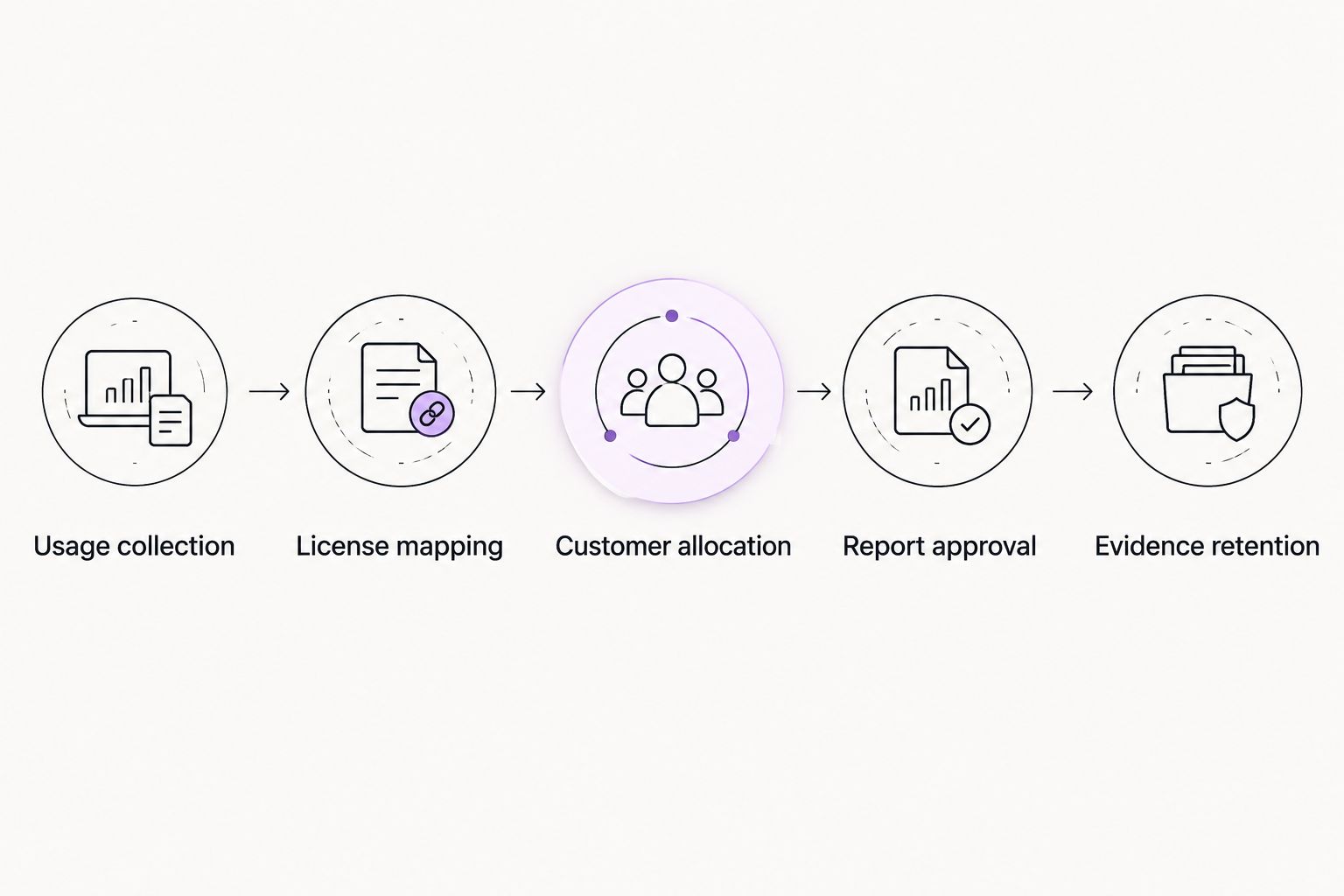
Test the connections between stages, not just the final reported total.
Reconcile reporting and customer billing separately
Begin with a manual comparison of the approved usage report and the customer billing file. Identify the basis of each billed quantity and document contractual adjustments separately from licensing adjustments. They answer different questions.
A licensing report describes your reporting position under the applicable agreement. A customer invoice reflects your commercial arrangement with that customer. Do not assume the quantities or presentation must always match; require an explanation for differences.
A platform's billing capability earns its place when it reduces repeated reconciliation without hiding those differences. Ask for a demonstration of an adjustment that affects billing but does not silently rewrite the approved licensing record.
Require a traceable reconciliation, not identical totals at any cost. Your finance and compliance teams need a shared explanation, with separate ownership where their responsibilities differ.
- Quantity basis: Identify the usage or approved input behind each billing line.
- Customer terms: Separate commercial adjustments from licensing treatment.
- Period alignment: Check that reporting and billing use the intended dates.
- Adjustment history: Record the reason and approver for each change.
- Reconciliation output: Preserve an explanation of any remaining difference.
Build an audit evidence process before submission
Start with an organized evidence folder and a written index. Save the source records, relevant licensing documentation, approved calculations, adjustments, and submission records together. Your goal is to reconstruct a decision without relying on the person who originally made it.
For your 2026 process, assign 2 reviewers distinct roles: one checks the operational records, and the other checks the licensing interpretation and approval evidence. This is a recommended control design, not a Microsoft-mandated staffing rule. Adapt the assignments to your organization while keeping accountability explicit.
Platform automation can reduce evidence assembly, while consulting can address interpretation and preparation. Neither removes your responsibility to validate the reporting position. Ask how records remain accessible after corrections, personnel changes, or changes to the platform.
Test retrieval before an audit request arrives. A saved final spreadsheet is not enough if nobody can explain the underlying classifications.
- Source snapshot: Retain the records used for the approved reporting period.
- Decision record: Document licensing interpretations and supporting references.
- Change history: Preserve adjustments rather than overwriting the original position.
- Approval record: Identify who accepted the report and unresolved exceptions.
- Evidence retrieval: Ask a reviewer to reconstruct a selected reported quantity.
Run a controlled pilot and assign ownership
Complete a manual acceptance checklist before starting a pilot. Define what constitutes a pass, what requires remediation, and what blocks rollout. This prevents a polished demonstration from becoming an implementation decision without operational proof.
Run your 2026 pilot against the same sample and baseline used during selection. Ask operational users to investigate exceptions themselves. The relevant question is not whether a supplier can explain its own demonstration; it is whether your team can operate the process.
Compare the remaining work after automation. Document which imports, classifications, approvals, and billing checks still require intervention. These are implementation obligations, not minor details to defer until after selection.
Use a licensing workflow consultation to discuss the reporting and evidence requirements you have defined. Bring the exception list and sample reconciliation, not only a request for a product tour.
- Acceptance criteria: Set observable outcomes for reporting, billing, and evidence.
- Operator testing: Have your own team investigate representative exceptions.
- Data access: Confirm permissions, collection boundaries, and export requirements.
- Responsibility matrix: Assign implementation, approval, and ongoing maintenance owners.
- Exit criteria: Establish how you retrieve records if the arrangement ends.
Compare options for SPLA partner workflows
The best option depends on the work you need to control. Use this comparison to shortlist approaches, then validate the exact capabilities against your records. These are workflow categories, not claims that every supplier within a category offers the same features.
Manual exports and spreadsheets
- Best for: Establishing a baseline and documenting a bounded process
- Main advantage: Makes your calculations and decision points explicit
- Key limitation or validation need: Your team must maintain reconciliation, version control, and supporting evidence
General-purpose SAM platform
- Best for: Organizations evaluating asset visibility alongside licensing management
- Main advantage: Provides a platform category to assess beyond a standalone reporting spreadsheet
- Key limitation or validation need: SPLA reporting, customer billing, and audit evidence must be demonstrated explicitly
Octopus platform and consulting
- Best for: Microsoft SPLA partners and Authorized Outsourcers needing reporting, billing, and audit defense
- Main advantage: Addresses those workflows within its stated offering
- Key limitation or validation need: Validate environment coverage, implementation effort, and the division between software and consulting
Licensing consulting
- Best for: Resolving interpretation questions and defining reporting controls
- Main advantage: Adds specialist review to the decision process
- Key limitation or validation need: Advice alone does not establish an ongoing collection and reporting workflow
Do not replace a working control with an untested feature. An existing manual process remains useful as the reference against which you assess automated output. Retire redundant work only after the replacement produces explainable results.
The platform and consulting options are not mutually exclusive. Specify which party owns each decision so that software support and advisory work do not leave an unassigned gap.
Common mistakes SPLA partners make
Selecting discovery instead of reporting capability
A detailed inventory does not establish the correct reporting position. If a demonstration ends at a list of installations, ask the supplier to continue through classification, customer allocation, approval, and retained evidence. Evaluate the whole chain before accepting the discovery result as sufficient.
Treating customer allocation as a billing-only task
Customer attribution also provides context for investigating usage and explaining adjustments. Keep customer identifiers connected to the relevant records throughout the process. Reattaching them in a separate billing spreadsheet adds another reconciliation that someone must own.
Applying licensing treatment without recording the basis
An unexplained classification is difficult to defend or reproduce. Record the applicable agreement, supporting documentation, and decision owner alongside the calculation. When requirements change, assess the affected records rather than silently replacing the reasoning behind prior reports.
Assuming automation transfers compliance accountability
A calculated output still depends on source coverage, configuration, interpretation, and approval. Assign owners to those inputs. Ask what the platform flags as unresolved and how your team prevents unresolved items from becoming accepted reports without review.
Keeping only the final submission
A final report shows what you submitted, not necessarily why it was correct. Preserve the supporting records and adjustments needed to reconstruct the position. Test that reconstruction with someone who did not prepare the original report.
FAQ
What's the best software asset management tool for an SPLA partner?
The best tool is the one that reproduces your approved SPLA reporting position and preserves its supporting evidence. Octopus is a fit for Microsoft SPLA partners and Authorized Outsourcers seeking usage reporting, customer billing, and audit defense; validate its environment coverage against your requirements.
Can we manage SPLA reporting with spreadsheets?
Spreadsheets can support a manually controlled reporting process. Your team must maintain source records, licensing decisions, customer allocations, approvals, and version history rather than keeping only a final total.
Is a general-purpose SAM platform enough for SPLA reporting?
A general-purpose SAM platform is enough only if it meets your specific reporting and evidence requirements. Require a demonstration of licensing classification, customer allocation, billing reconciliation, and exception handling using your records.
What should we test during a software asset management pilot?
Test the complete chain from collected usage to approved reporting, customer allocation, and retained evidence. Include difficult records and adjustments, then ask your own operators to investigate the results.
Does automated reporting remove the need for licensing review?
Automated reporting does not replace licensing review or approval. You still need accountable owners for source coverage, licensing interpretation, configuration, and unresolved exceptions.
Should customer billing always match the SPLA report?
Customer billing and SPLA reporting must reconcile, but their quantities and presentation do not automatically have to be identical. Document the licensing basis separately from customer commercial terms and explain any differences.
What evidence should we keep for an SPLA audit?
Keep the source records, licensing rationale, approved calculations, adjustment history, and submission records supporting your reporting position. Organize them so a reviewer can reconstruct a reported quantity without relying on the original preparer.
One last thing
Test whether someone else can reconstruct your report. Give a reviewer an approved quantity and the retained evidence, without asking the original preparer to explain it verbally. If the reviewer cannot connect the quantity to its source and licensing rationale, improve the process before adding more automation.
That exercise tests the outcome you actually need: a reporting position your organization can explain, repeat, and defend. Make it an acceptance condition for your software asset management tools, not a task reserved for an audit.